





3D Rendering Hardware (Monitors, GPUs, Laptops) By Cogdell Studios

Updated: Aug 30
Essential Hardware for Architectural Visualization: Elevate Your Game
Introduction
When it comes to producing high-quality architectural visualizations, hardware matters. At Cogdell Studios, we depend on powerful systems. They help us deliver ultra-realistic 3D renderings, animations, and printed models. Whether you're just starting or running a professional studio, the right GPU, monitor, and laptop can enhance your workflow and output significantly.
1. GPUs: The Heart of 3D Rendering


The Graphics Processing Unit (GPU) is crucial for rendering speed and realism. Modern engines like Lumion, V-Ray, Enscape, and Unreal Engine rely on GPU acceleration.
Top Picks:
NVIDIA RTX 5070 – Best for ultra-fast, high-end rendering.
NVIDIA RTX 5060 TI – Excellent performance-to-cost balance.
NVIDIA RTX 5060 – Great for mid-level workflows.
Check current pricing and availability on Amazon:➡️
2. Monitors: See Every Detail Clearly

A high-quality monitor ensures color accuracy, sharpness, and ample screen space. These factors are essential for precision work in architectural visualization.
What to Look For:
4K resolution (minimum for professionals).
IPS panel for color accuracy.
Ultrawide monitors for multitasking.
Top Picks:
LG UltraFine 4K / 5K
Dell UltraSharp Series
ASUS ProArt Displays
Upgrade your visual workspace:➡️
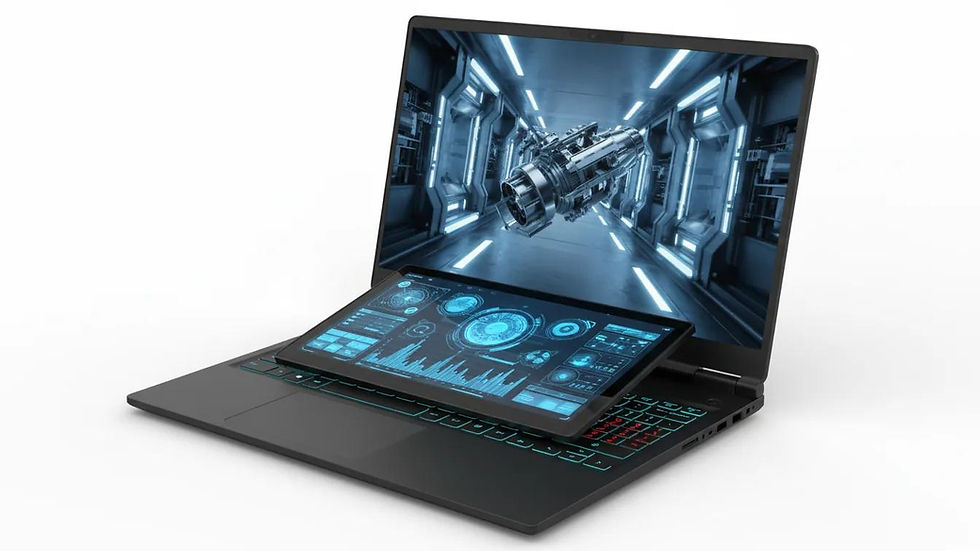
3. Laptops: Power on the Go
For those who need mobility without sacrificing performance, high-end laptops are essential.
Top Picks:
ASUS ROG Zephyrus (RTX-powered)
MSI Creator Series
Apple MacBook Pro (M3 Max for design workflows)
Key Specs to Consider:
Minimum 32GB RAM.
Dedicated GPU (RTX series preferred).
Fast SSD storage (1TB+).
Explore high-performance laptops:➡️

Pro Tip from Cogdell Studios
For the best results, combine:
A powerful desktop GPU setup for rendering.
A color-accurate monitor for design precision.
A high-performance laptop for flexibility.
This hybrid approach ensures efficiency whether you're in the office or on-site with clients.
Final Thoughts
Investing in the right hardware is vital. It’s not just about speed. It’s about quality, reliability, and staying competitive in architectural visualization. The tools you choose directly impact your ability to deliver stunning, photorealistic results.
The Importance of Collaboration
Collaboration is key. Working closely with your team enhances creativity. It leads to better designs. Sharing ideas and feedback fosters innovation. This synergy can elevate your projects.
Staying Updated with Technology
Technology evolves rapidly. Stay informed about the latest trends. New software and hardware can improve your workflow. Regularly upgrade your tools to maintain an edge in the industry.
Embracing New Techniques
Explore new techniques in architectural visualization. Experiment with different rendering styles. This can set your work apart. Unique visuals attract clients.
Building a Strong Portfolio
A strong portfolio showcases your best work. Include a variety of projects. Highlight your skills and versatility. A well-curated portfolio can open doors to new opportunities.
Networking and Community Engagement
Engage with the architectural community. Attend events and webinars. Networking can lead to collaborations. Building relationships is essential for growth.
Conclusion
Investing in the right hardware is crucial. It enhances your ability to create stunning visuals. Quality tools lead to better results. Stay competitive. Choose wisely.
Affiliate Disclaimer
This post contains affiliate links. Cogdell Studios may earn a commission at no additional cost to you if you purchase through these links.


Comments