





Understanding Architectural Rendering Costs: A Complete Guide to Rendering Cost Factors

Architectural renderings bring designs to life. They turn blueprints into vivid images. But what drives the price? What makes one rendering cost more than another? I’m here to break it down. Clear. Simple. Practical.
What Are Architectural Rendering Cost Factors?
Rendering cost factors vary widely. They depend on the project’s scope and complexity. Here’s what matters most:
Type of Rendering: 3D, 2D, still images, animations, or virtual reality. Each demands different skills and time.
Level of Detail: Simple massing models cost less. High-detail, photorealistic images cost more.
Size and Scale: A small residential project costs less than a large commercial complex.
Revisions: More changes mean more hours and higher costs.
Deadline: Rush jobs often carry a premium.
Software and Technology: Advanced tools and rendering engines can affect pricing.
Experience of the Artist: Seasoned professionals charge more for their expertise.
Understanding these factors helps you budget smartly. It also sets realistic expectations.

Types of Architectural Renderings and Their Costs
Not all renderings are created equal. The type you choose impacts the cost significantly.
1. 2D Renderings
Basic and quick. Often used for initial presentations. They show flat images with limited depth. Cost-effective but less immersive.
2. 3D Still Renderings
Most common. They provide a realistic view of the project. Can be photorealistic or stylized. Prices vary based on detail and complexity.
3. 3D Animations
Dynamic walkthroughs or flyovers. They require more time and resources. Expect higher costs here.
4. Virtual Reality (VR) and Interactive Renderings
Cutting-edge tech. Allows clients to explore spaces interactively. The most expensive option but highly engaging.
Each type serves a different purpose. Choose based on your project needs and budget.
How to Charge for Renderings?
Pricing architectural renderings can be tricky. Here’s a straightforward approach:
Hourly Rate: Charge based on the time spent. Good for projects with uncertain scope.
Fixed Price: Set a flat fee for the entire project. Best when the scope is clear.
Per Image or Animation: Charge per deliverable. Useful for clients needing specific outputs.
Package Deals: Bundle multiple renderings or services for a set price.
Be transparent with clients. Explain what’s included and what might add extra costs. This builds trust and avoids surprises.
Practical Tips to Manage Rendering Costs
Keeping costs in check is crucial. Here’s how to do it:
Define Scope Clearly: Avoid scope creep by setting clear deliverables upfront.
Limit Revisions: Agree on a fixed number of revisions before extra charges apply.
Choose the Right Type: Don’t overpay for high-end renderings if a simple 2D image suffices.
Plan Ahead: Avoid rush fees by scheduling renderings early.
Use Templates and Reusable Assets: Save time and money on recurring elements.
Communicate Often: Regular check-ins prevent costly misunderstandings.
These steps help you get the best value without compromising quality.
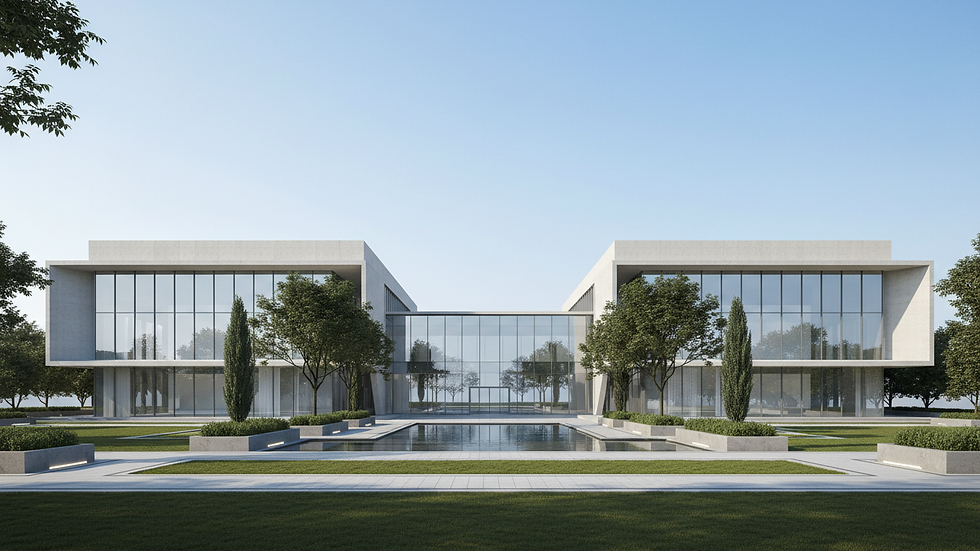
Why Investing in Quality Renderings Pays Off
Good renderings do more than look pretty. They:
Secure Approvals: Clear visuals help stakeholders understand the design.
Attract Clients: Stunning images make projects stand out.
Reduce Errors: Visualizing early catches design flaws.
Speed Up Decisions: Clients and partners decide faster with clear images.
The right investment in renderings can save time and money down the line. It’s a smart move for any project.
If you’re wondering how much do architectural renderings cost, remember it depends on these factors. Always weigh cost against the value the rendering brings.
Final Thoughts on Rendering Cost Factors
Rendering costs vary. They depend on type, detail, scale, and more. Understanding these factors helps you plan better. It also ensures you get the visuals you need without breaking the bank.
Invest wisely. Choose the right rendering type. Communicate clearly. And watch your designs come alive with impact.
Rendering is more than an expense. It’s a tool. A bridge between vision and reality. Use it well.


Comments